
Modern MD Editor
by xiaobox · io.github.xiaobox.mdeditor
Not TrustedWeb appUnrated★ 679 stars
Modern MD Editor 是一款面向创作者与内容团队的「高颜值 Markdown 编辑器 +…
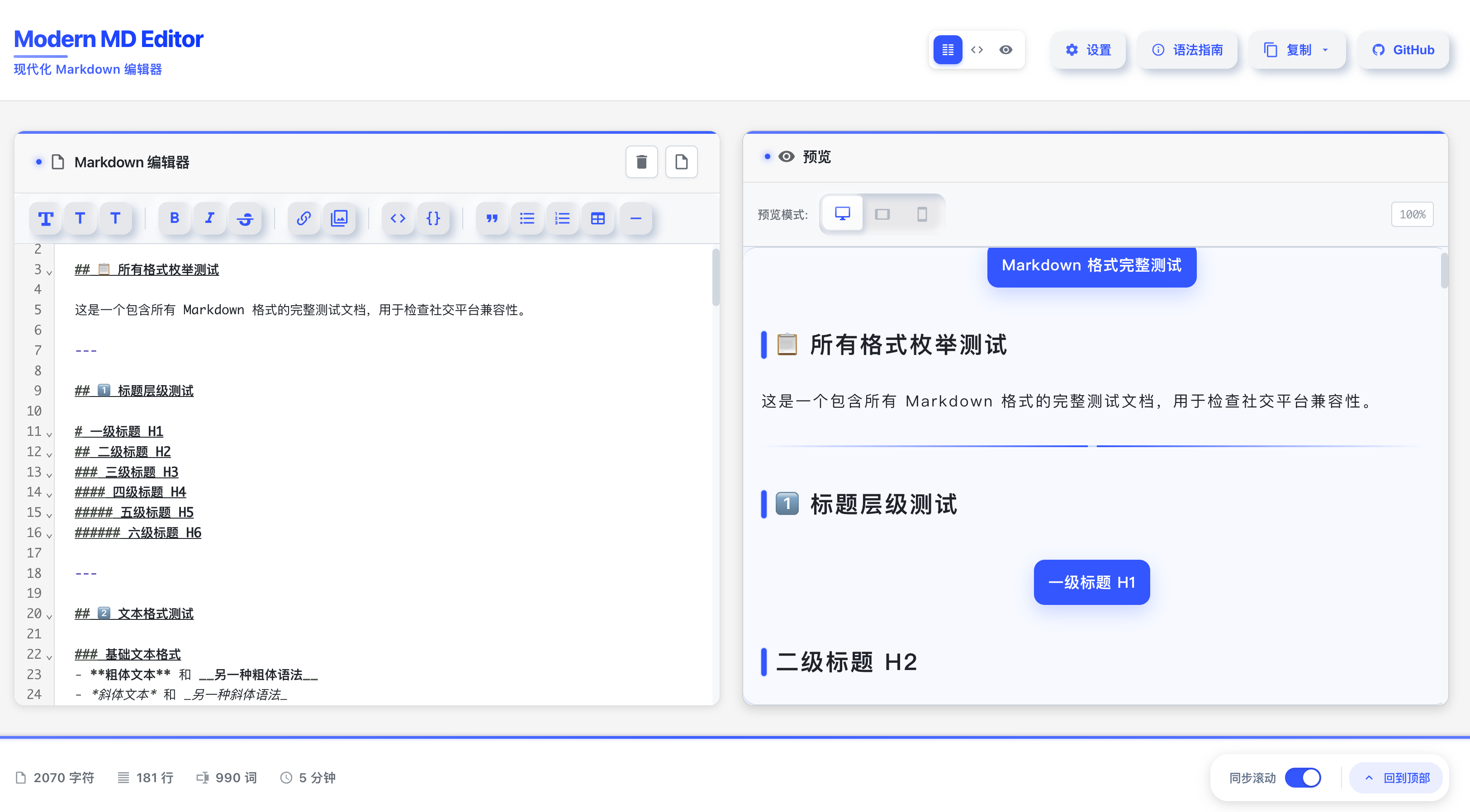
Modern MD Editor 是一款面向创作者与内容团队的「高颜值 Markdown 编辑器 + 社交平台发布器」。它以极致的界面与交互为基础,提供所见即所得的实时预览与多端视口切换,并通过一键复制将 Markdown 转为适配微信公众号/社交平台的高保真富文本(自动内联样式、字体/行高/字距与主题化适配),让创作到发布的最后一步变得优雅、高效、可控。
Screenshots

About
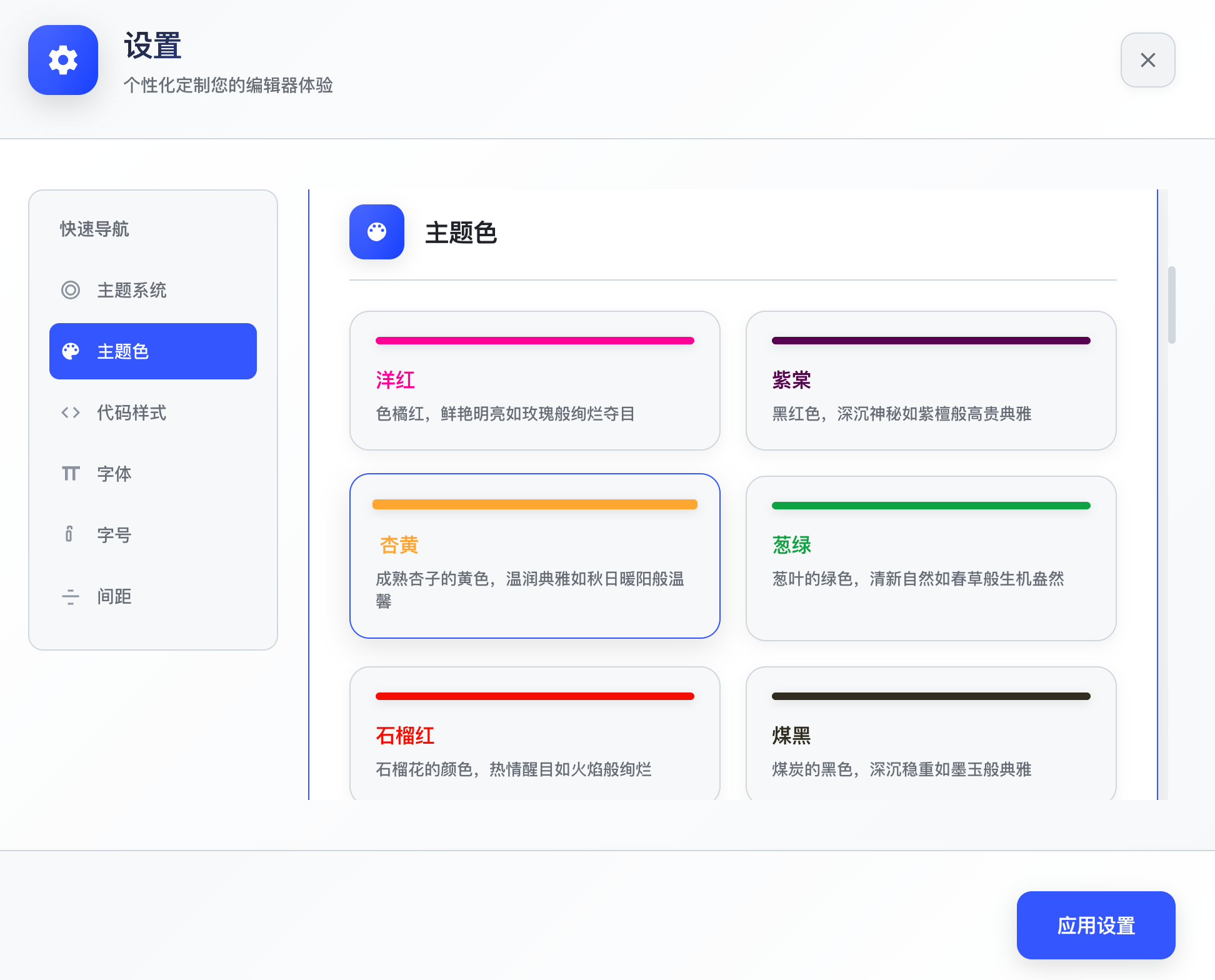
- 所见即所得预览与编辑(WYSIWYG): - 新增「可编辑模式」:点击顶部「视图切换」中的「所见即所得(可编辑)」按钮进入富文本所见即所得编辑;再次点击可切回「编辑器」或「编辑 + 预览」。 - 基于 Milkdown(preset-commonmark + preset-gfm)与 Prism 高亮,并与 Markdown 文本双向同步。 - 支持 Mermaid 节点视图;表格内反引号在少数场景做了兼容处理,确保展示与复制兼容。 - 保持与主题/代码样式/排版系统一致。 - 预览视口一键切换:桌面 / 平板 / 手机。 - LaTeX 数学公式支持: - 行内公式:使用单美元符 $E=mc^2$ 包裹。 - 块级公式:使用双美元符 $$..$$ 包裹,支持跨行。 - 基于 MathJax 3 渲染为 SVG,确保微信公众号完美兼容。 - 复制到公众号时自动处理公式样式,无需额外调整。 - 一键复制为公众号/社交平台格式: - 自动注入内联样式(字体、字号、行高、字距、配色)。 - 主题化适配与细节增强(标题、列表、引用、代码、表格等)。 - 现代 Clipboard API 优先,失败时自动降级,增强兼容性。 - 导出下载(PDF / 图片): - 纯前端方案,无需后端服务,基于 html2canvas + jsPDF。 - 复用社交格式 HTML 管道(内联样式 + Mermaid 渲染 + 公式处理),导出效果与预览一致。 - 支持 A4 自动分页 PDF 和高清 PNG 长图两种格式。 - 强大的主题与排版系统: - 颜色主题(含自定义主题色实时预览与持久化)。 - 代码样式(背景/字体/高亮变量一站式应用)。 - 排版主题系统(布局、间距、圆角、阴影等 CSS 变量)。 - 可调字体与阅读体验: - 字体族、字号、行高、字距皆可在设置面板中直观调节。 - 现代前端架构: - 基于 Vue 3 + Vite 5 + CodeMirror 6。 - 主题预加载(避免 FOUC)、性能防抖与缓存、模块化可扩展设计。 - 核心框架 - Vue 3:组件化与响应式核心,使用 `` 与组合式 API 实现清晰的 UI 与状态管理。 - Vite 5:极速开发服务器与构建工具,HMR 体验优秀,使用官方插件 @vitejs/plugin-vue 处理 .vue。 - 编辑器 - CodeMirror 6:提供高性能文本编辑、快捷键与滚动事件。在 src/composables/editor/ 封装编辑器的生命周期、操作与状态。 - 所见即所得(Milkdown):基于 @milkdown/core、preset-commonmark、preset-gfm、plugin-prism、plugin-history、plugin-clipboard 与自定义 Mermaid NodeView;组件:src/components/WysiwygPane.vue。 - Markdown 渲染管线 - src/core/markdown/parser.js:单文件解析入口,顺序处理代码块/列表/表格/引用/标题/段落;PreviewPane.vue 调用 parseMarkdown 生成预览版与社交版 HTML。 - src/core/markdown/inline-formatter.js:行内语法处理(加粗/斜体/链接/图片/转义等)。 - src/core/markdown/code-formatter.js:代码块高亮与渲染(含 Mermaid 特判与社交复制样式)。 - src/core/markdown/social-adapters.js:社交平台适配与内联样式注入,提供可注册的主题适配器。 - 复制链路 - src/core/editor/copy-formats.js:一键生成社交版/Markdown 两种复制格式。 - src/core/editor/clipboard.js:Clipboard API 优先,失败降级到 execCommand;模拟社交平台容器,处理字体/行高/字距等细节。 - 主题系统 - src/core/theme/manager.js:集中管理并写入 CSS 变量;src/core/theme/loader.js 首屏预注入,避免 FOUC;src/styles/themes/* 为样式基线,预设数据在 src/config/theme-presets.js。 - 样式基线 - github-markdown-css:为 Markdown 预览提供一致的基础排版,结合自定义 CSS 变量与主题系统统一风格。 - 测试体系 - Vitest + @vue/test-utils + jsdom:脚本:test、test:ui、test:coverage。 - 目录分层 - components/(UI) · composables/(复用逻辑) · core/(编辑器/解析/主题/复制) · config/(常量与工具栏) · shared/(公共工具函数) · styles/(全局与组件样式)。 - 🚀 快速启动: npm run electron:dev - 同时启动开发服务器和桌面应用 - 📱 原生体验: 享受完整的桌面应用体验,包括菜单栏、快捷键等 - 💾 本地文件: 支持本地文件的打开、编辑、保存等操作 - 🔧 跨平台: 支持 macOS、Windows 和 Linux Modern MD Editor is the open-source project xiaobox/mdeditor (https://github.com/xiaobox/mdeditor) by xiaobox, released under MIT. Ion packages it unmodified from commit d2d032a3cd9f, adding only a manifest, an icon and a storage compatibility script.
Source
Written by xiaobox, published to Oikou by Ben Grande.
- ★ 679 stars on GitHub
- Licence: MIT
- Upstream version v1.1.4
- Built from commit d2d032a3cd9f
Age rating
Not rated. Nobody has said who this app is suitable for, so Personal Clouds and the Oikou app treat it as 18+.
What version 1.1.4 may do
Internet
It asks to reach nothing on the internet.
Personal Cloud tools
- Keep a database of its own on your Personal Cloud ion.db
Notifications
It does not send push notifications.
Storage
Up to 16 MB on your Personal Cloud.
Add to Personal Cloud
Sign in to add this web app to a Personal Cloud of yours. It runs there, on your own computer, and you open it from there; nothing is installed on your phone.
Versions
1.1.4 Latest Shown above
Published · a ready-built bundle
Imported from xiaobox/mdeditor at d2d032a3cd9f (v1.1.4).