CrewAI Studio
by strnad · io.github.strnad.crewai-studio
Not TrustedWeb appUnrated★ 1,358 stars
A user-friendly, multi-platform GUI for managing and running CrewAI agents and…
A user-friendly, multi-platform GUI for managing and running CrewAI agents and tasks. Supports Conda and virtual environments, no coding needed.
Screenshots
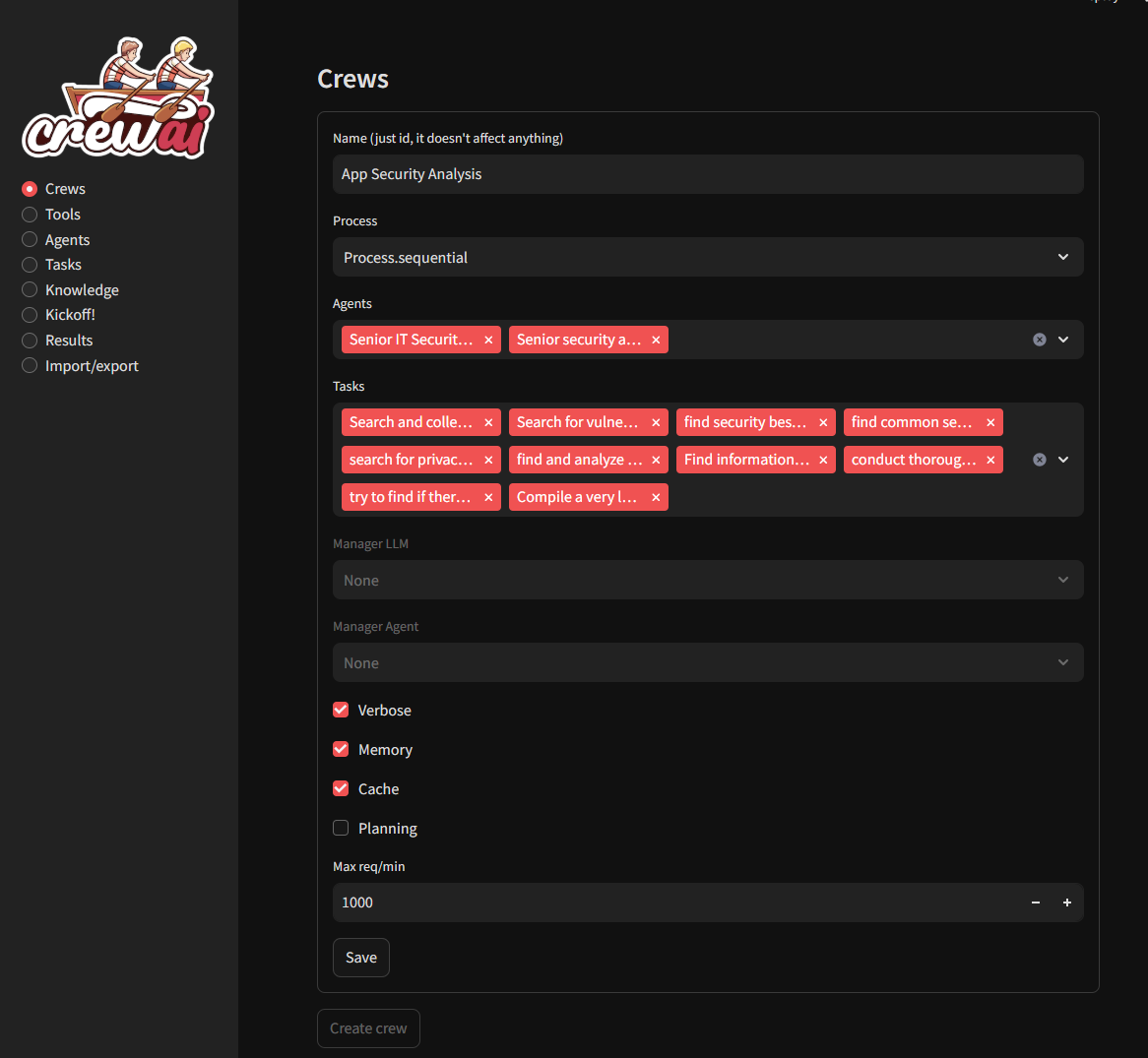
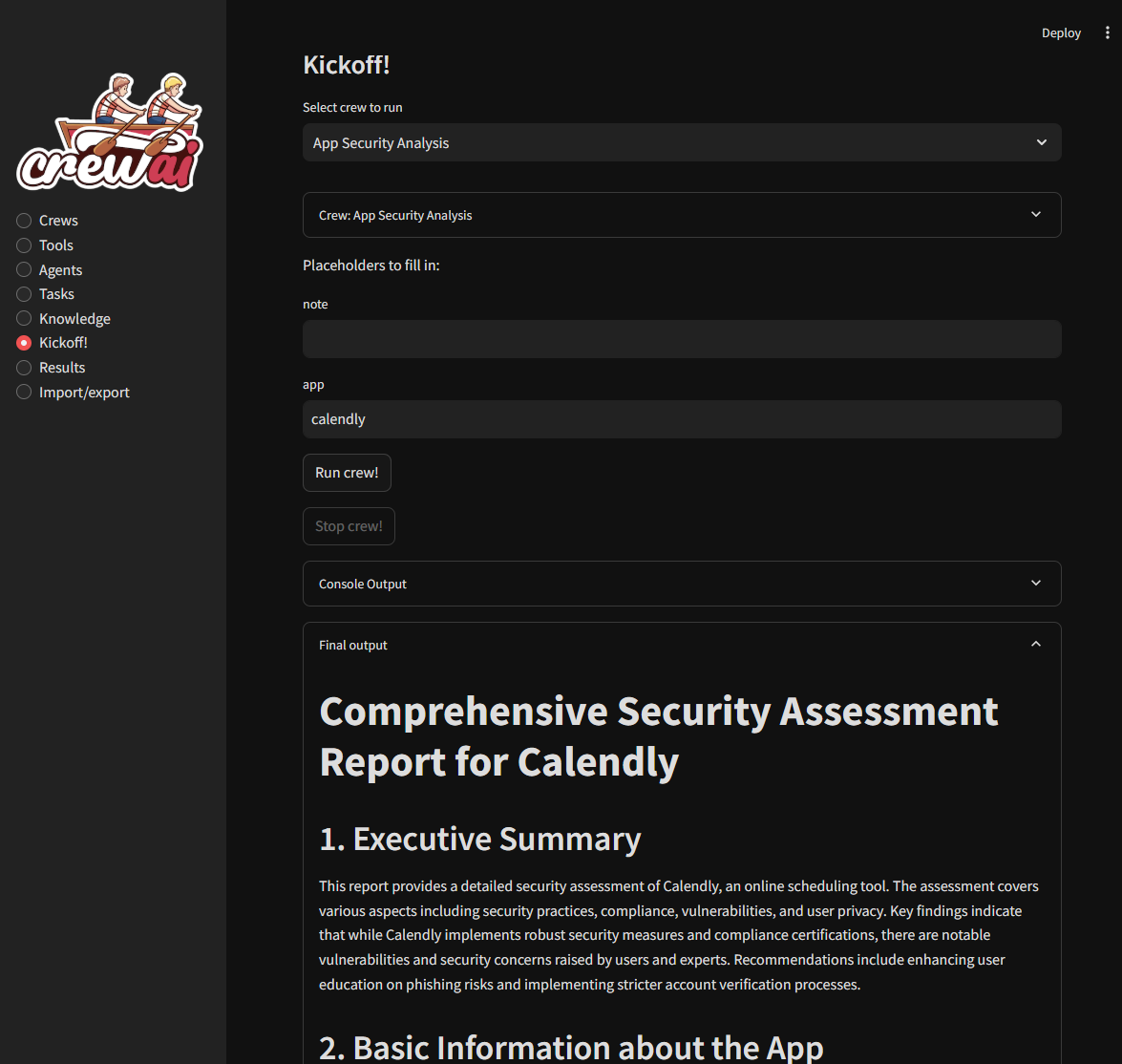
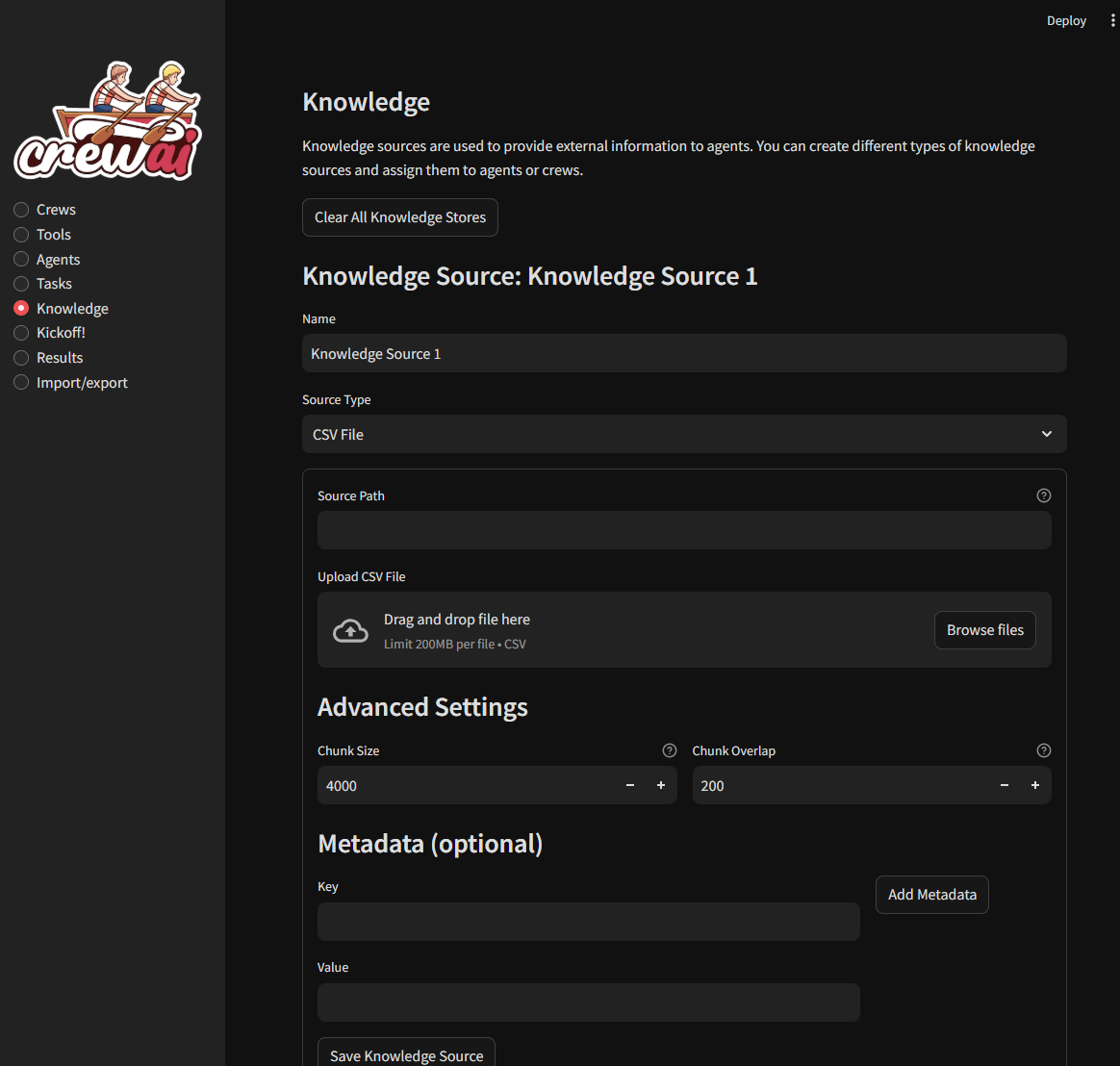
crews definition kickoff kickoff kickoff kickoff kickoff
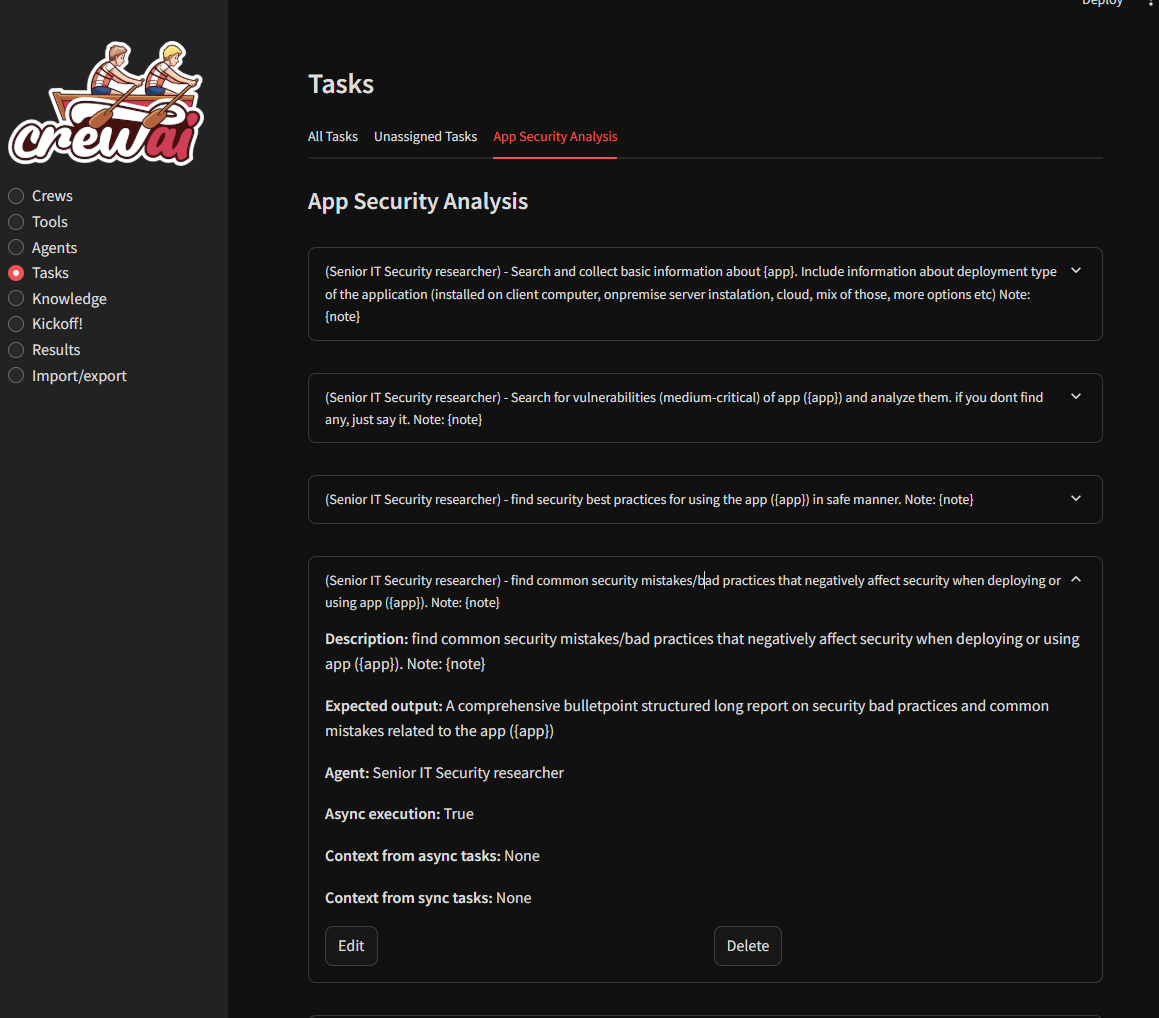
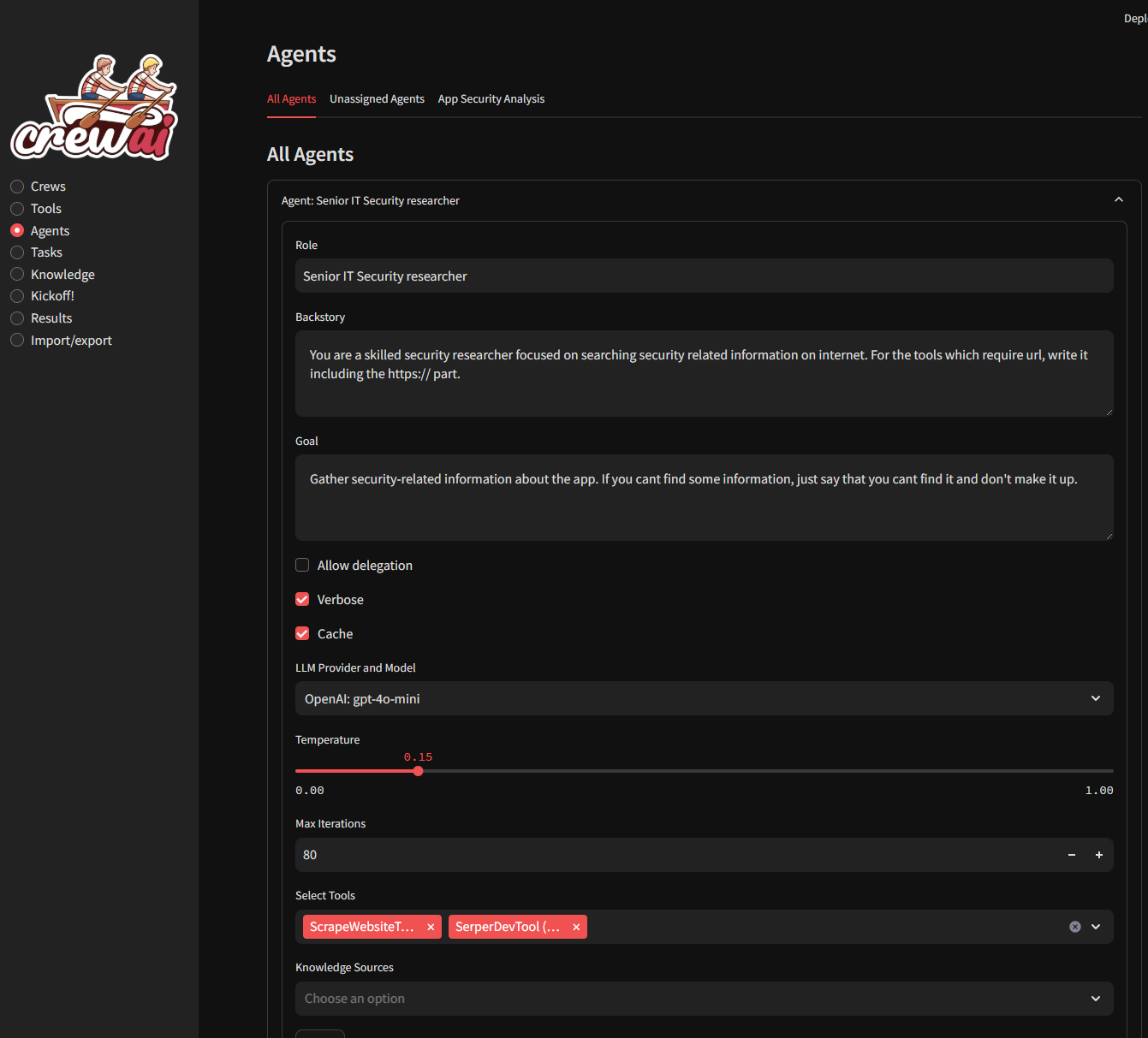
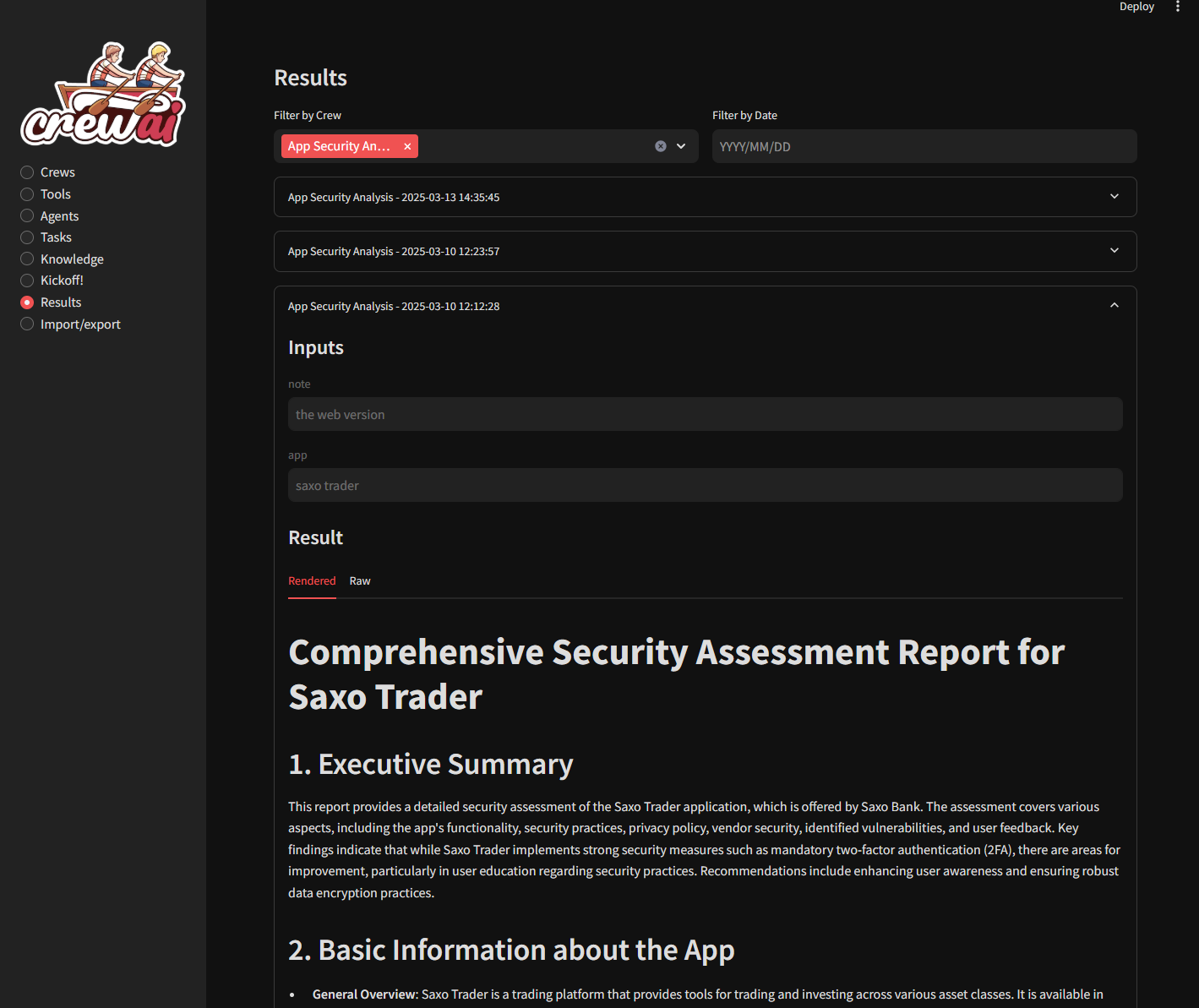
About
Welcome to CrewAI Studio! This application provides a user-friendly interface written in Streamlit for interacting with CrewAI, suitable even for those who don't want to write any code. Follow the steps below to install and run the application using Docker/docker-compose or Conda/venv. - Multi-platform support: Works on Windows, Linux and MacOS. - No coding required: User-friendly interface for interacting with CrewAI. - Conda and virtual environment support: Choose between Conda and a Python virtual environment for installation. - Results history: You can view previous results. - Knowledge sources: You can add knowledge sources for your crews - CrewAI tools You can use crewai tools to interact with real world. ~~Crewai studio uses a forked version of crewai-tools with some bugfixes and enhancements (https://github.com/strnad/crewAI-tools)~~ (bugfixes already merged to crewai-tools) - Custom Tools Custom tools for calling APIs, writing files, enhanced code interpreter, enhanced web scraper... More will be added soon - LLM providers supported: Currently OpenAI, Groq, Anthropic, ollama, Grok and LM Studio backends are supported. OpenAI key is probably still needed for embeddings in many tools. Don't forget to load an embedding model when using LM Studio. - Single Page app export: Feature to export crew as simple single page streamlit app. - Threaded crew run: Crews can run in background and can be stopped. Your support helps fund the development and growth of our project. Every contribution is greatly appreciated! CrewAI Studio is the open-source project strnad/CrewAI-Studio (https://github.com/strnad/CrewAI-Studio) by strnad, released under MIT. Ion packages it unmodified from commit 8b123b34624f, adding only a manifest, an icon and a start script.
Source
Written by strnad, published to Oikou by Ben Grande.
- ★ 1,358 stars on GitHub
- Licence: MIT
- Upstream version v2.0.2
- Built from commit 8b123b34624f
Age rating
Not rated. Nobody has said who this app is suitable for, so Personal Clouds and the Oikou app treat it as 18+.
What version 2.0.2 may do
Internet
It asks to reach nothing on the internet.
Containers on your Personal Cloud’s computer
Can see, start, stop, create and remove containers on your Personal Cloud’s computer, and download images: The Code Interpreter tool runs agent-written Python in a Docker container it builds and starts. Without Docker access, that tool is unavailable.
You choose the level on your Personal Cloud, and can give less. It never sees your Personal Cloud’s own containers or other apps’ ones, and cannot create containers with your folders or extra privileges.
Personal Cloud tools
- Keep a database of its own on your Personal Cloud ion.db
Notifications
It does not send push notifications.
Storage
Up to 512 MB on your Personal Cloud.
Add to Personal Cloud
Sign in to add this web app to a Personal Cloud of yours. It runs there, on your own computer, and you open it from there; nothing is installed on your phone.
Versions
2.0.2 Latest Shown above
Published · a ready-built bundle
Imported from strnad/CrewAI-Studio at 8b123b34624f (v2.0.2).