
Webssh
by bifrost0x · io.github.bifrost0x.webssh
Not TrustedWeb appUnrated★ 210 stars
Security-focused, self-hosted SSH and SFTP workspace for homelabs and teams…
Security-focused, self-hosted SSH and SFTP workspace for homelabs and teams - multi-user, passkeys, OIDC, encrypted keys, backups, and offline-ready.
Screenshots
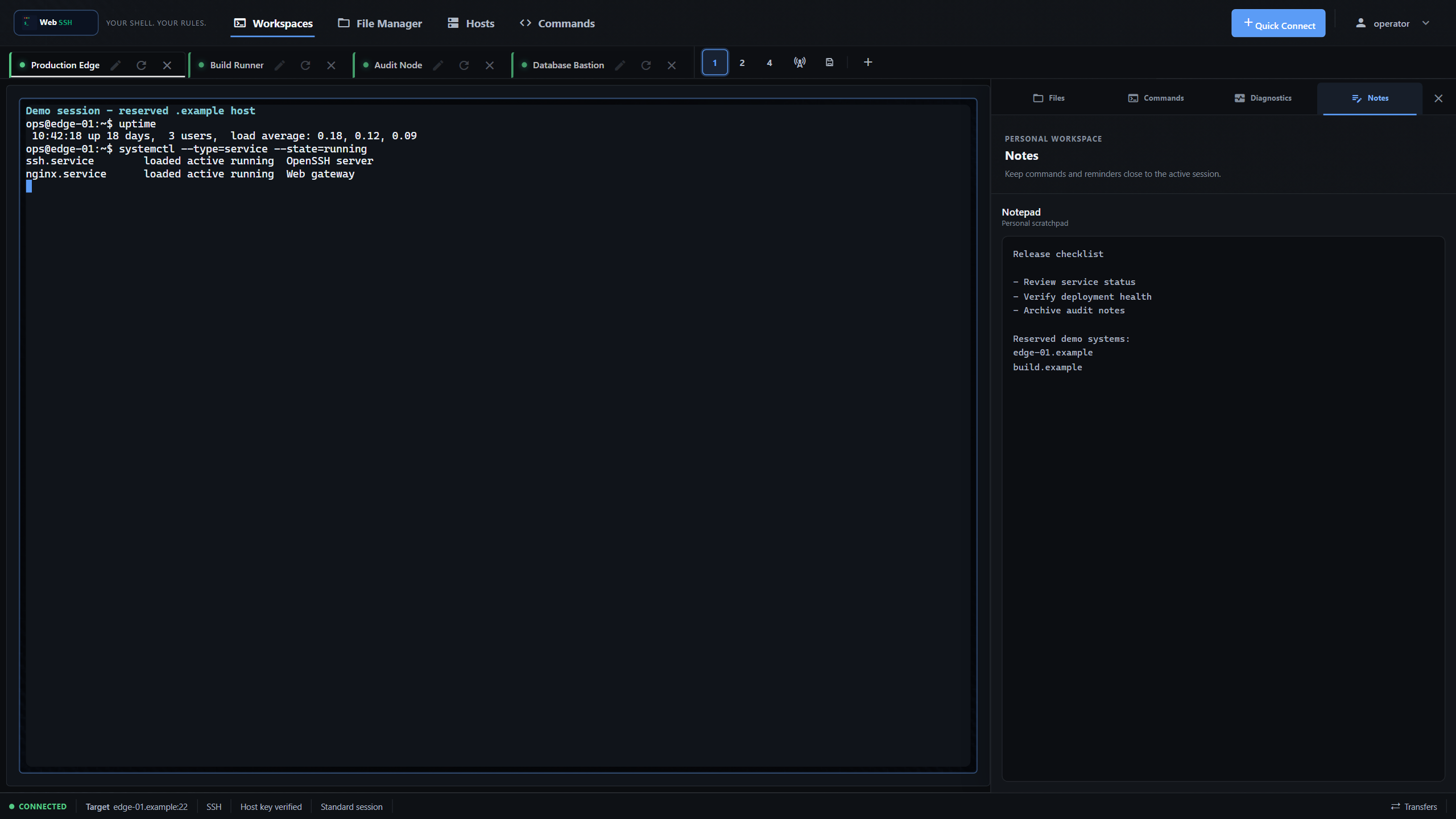
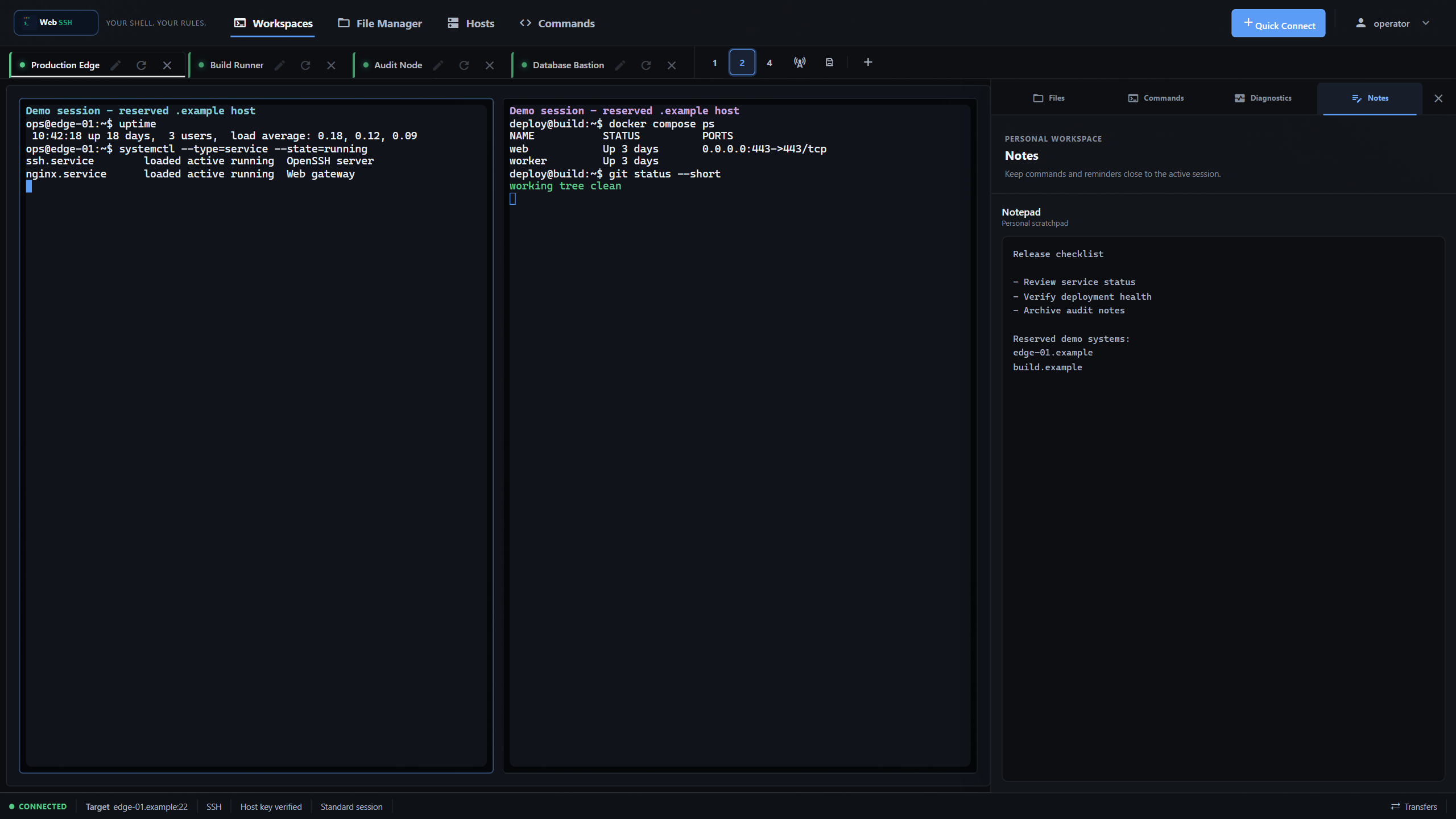
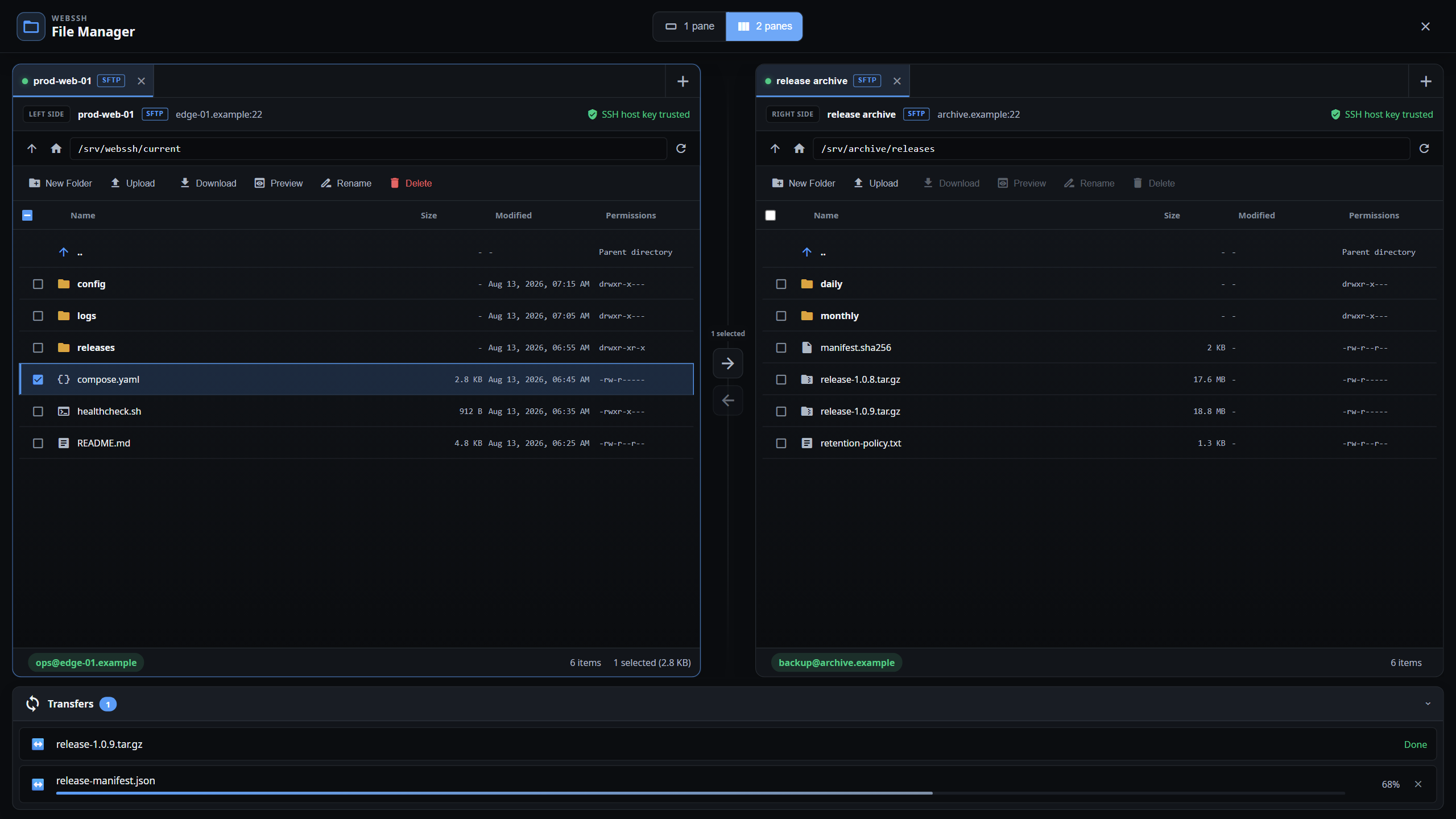
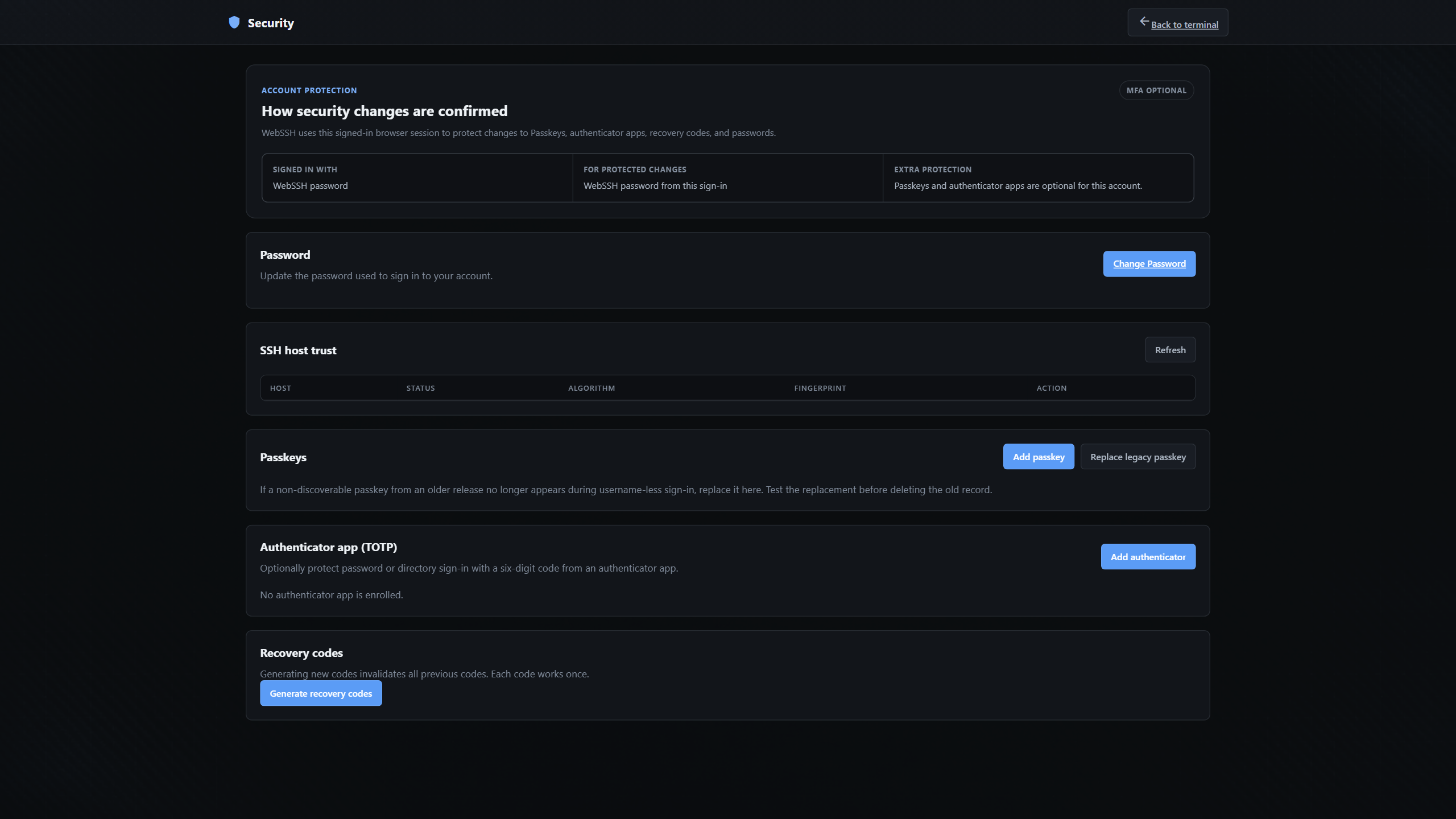
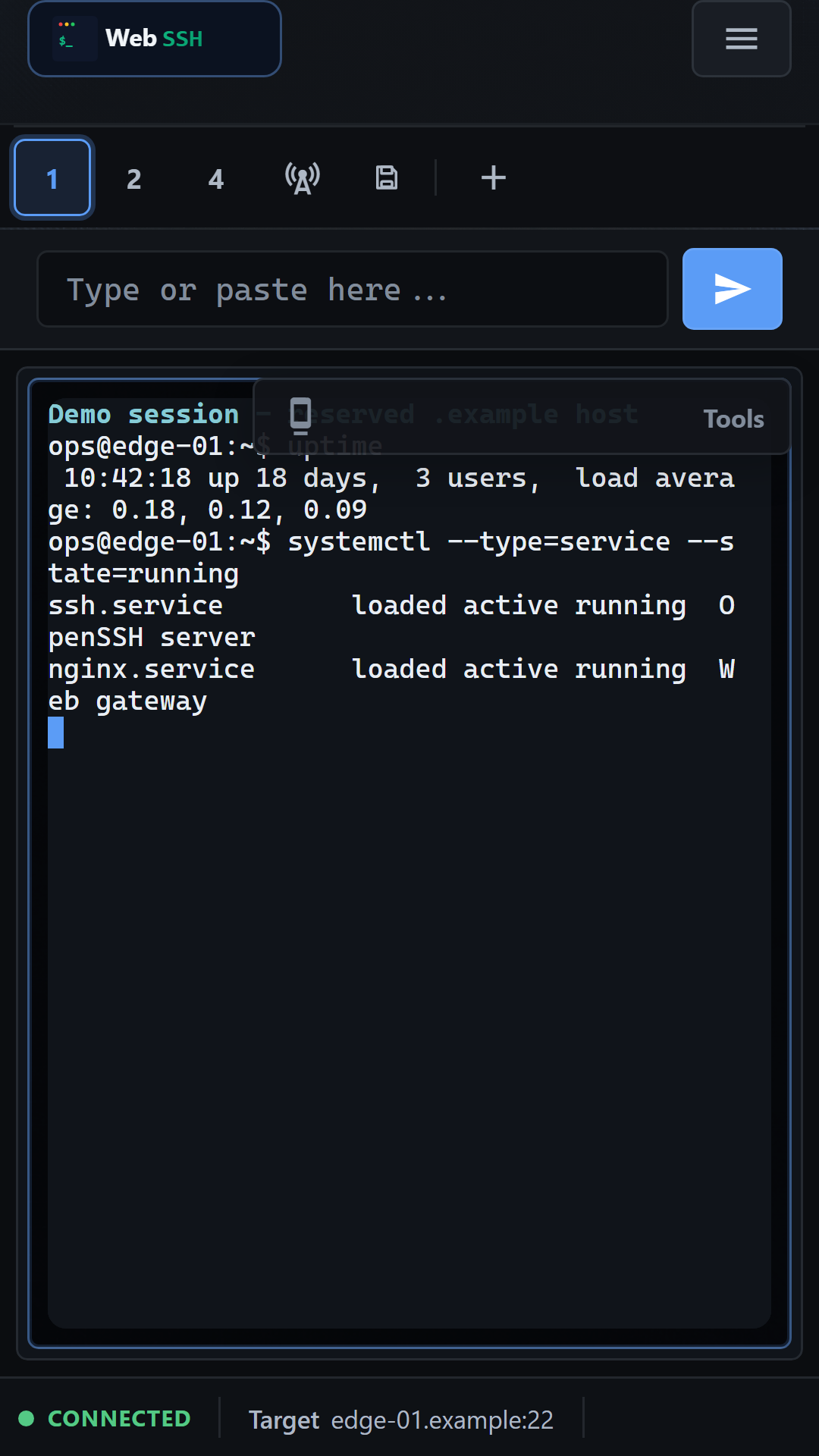
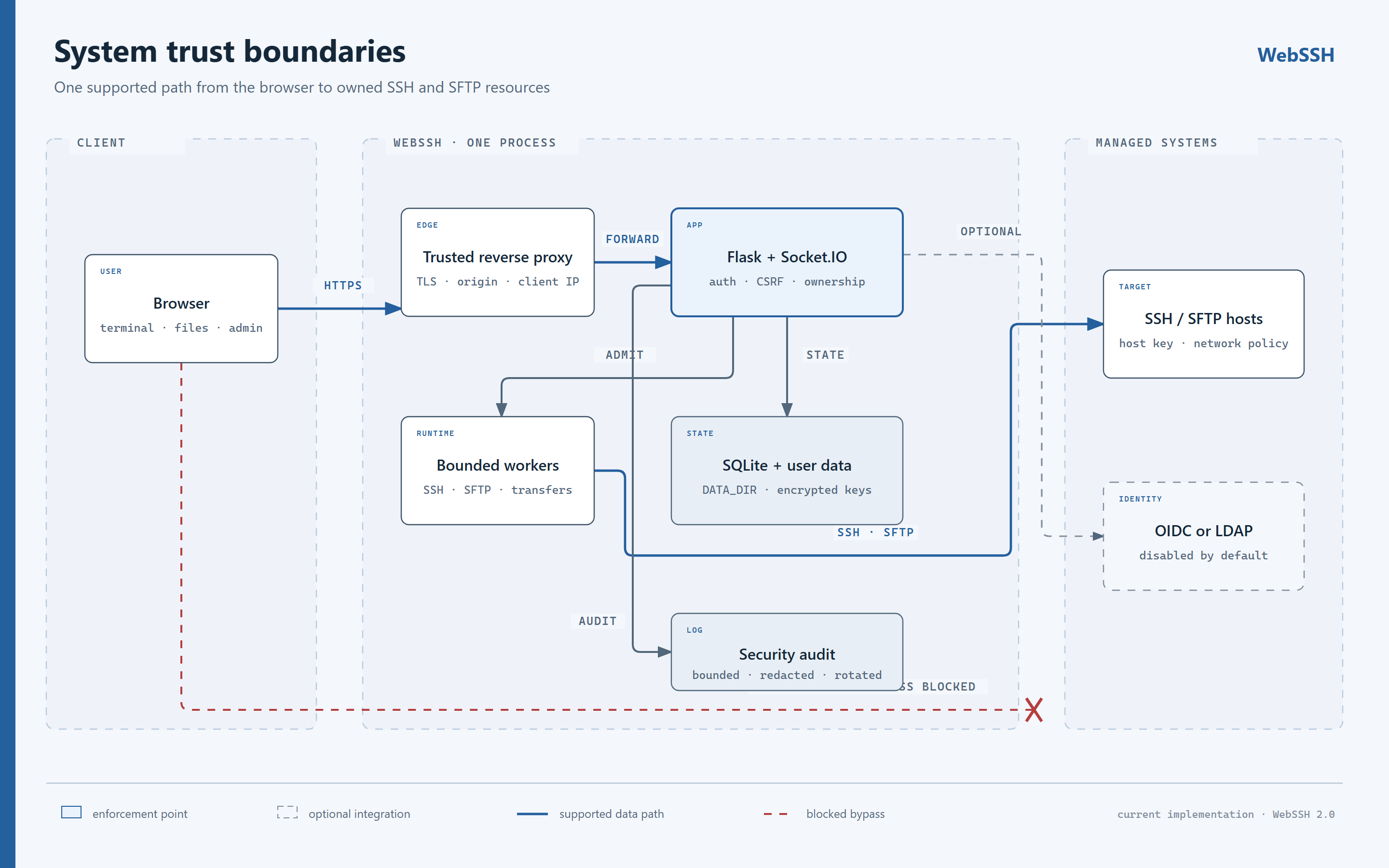
Connected WebSSH terminal with active-session controls and a notes workspace WebSSH desktop workspace with two live terminal panes and four session tabs WebSSH dual-pane file workspace with trusted sources and a transfer queue WebSSH Security Center showing sign-in assurance, SSH host trust, Passkeys, TOTP, and Recovery Codes WebSSH mobile terminal workspace with responsive session controls and connection status WebSSH trust boundaries from the browser through the single application process to owned SSH and SFTP targets
About
WebSSH keeps terminal work, files, commands, diagnostics, and notes in one responsive browser workspace. It is self-hosted, multi-user, and built without a hosted control plane or runtime CDN dependencies. After an administrator enables the optional gateway integration in Settings → Integrations, connect through an existing SSH gateway with a user:target username. Disabled by default. See the Warpgate integration guide for authentication and target requirements. - One workspace, not a terminal tab. Keep SSH sessions, SFTP sources, commands, live Linux context, and notes aligned with the active server. - Self-hosted by design. Accounts, profiles, encrypted keys, host trust, audit records, and application data remain on your WebSSH instance. - Safe operational boundaries. Authentication, ownership checks, network policy, host-key verification, quotas, and bounded runtime work are explicit. - Useful from phone to workstation. The same interface adapts from a focused mobile shell to multi-pane desktop operations. Sign-in: this app keeps its own accounts. Each member signs up or signs in inside the app with an app username and password; the hub remembers each member's session. Webssh is the open-source project bifrost0x/webssh (https://github.com/bifrost0x/webssh) by bifrost0x, released under MIT. Ion packages it unmodified from commit f50e9ab9baf9, adding only a manifest, an icon and a start script.
Source
Written by bifrost0x, published to Oikou by Ben Grande.
- ★ 210 stars on GitHub
- Licence: MIT
- Upstream version v2.4.0
- Built from commit f50e9ab9baf9
Age rating
Not rated. Nobody has said who this app is suitable for, so Personal Clouds and the Oikou app treat it as 18+.
What version 2.4.0 may do
Internet
It asks to reach nothing on the internet.
Personal Cloud tools
None. It uses nothing from your Personal Cloud beyond its own storage.
Notifications
It does not send push notifications.
Storage
Up to 512 MB on your Personal Cloud.
Add to Personal Cloud
Sign in to add this web app to a Personal Cloud of yours. It runs there, on your own computer, and you open it from there; nothing is installed on your phone.
Versions
2.4.0 Latest Shown above
Published · a ready-built bundle
Imported from bifrost0x/webssh at f50e9ab9baf9 (v2.4.0).