
Graph Explorer
by aws · io.github.aws.graph-explorer
Not TrustedWeb appUnrated★ 483 stars
React-based web application that enables users to visualize both property…
React-based web application that enables users to visualize both property graph and RDF data and explore connections between data without having to write graph queries.
Screenshots
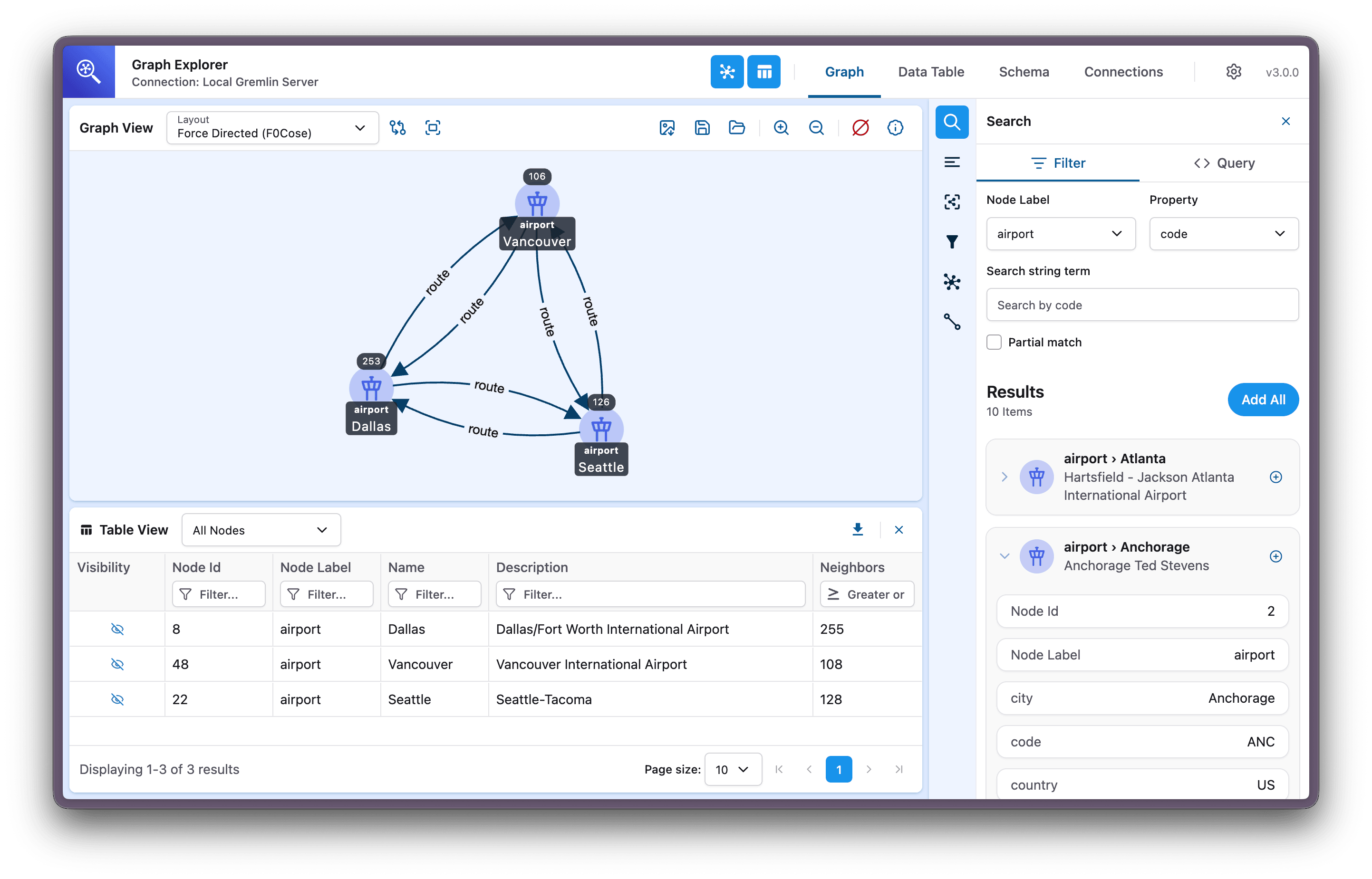
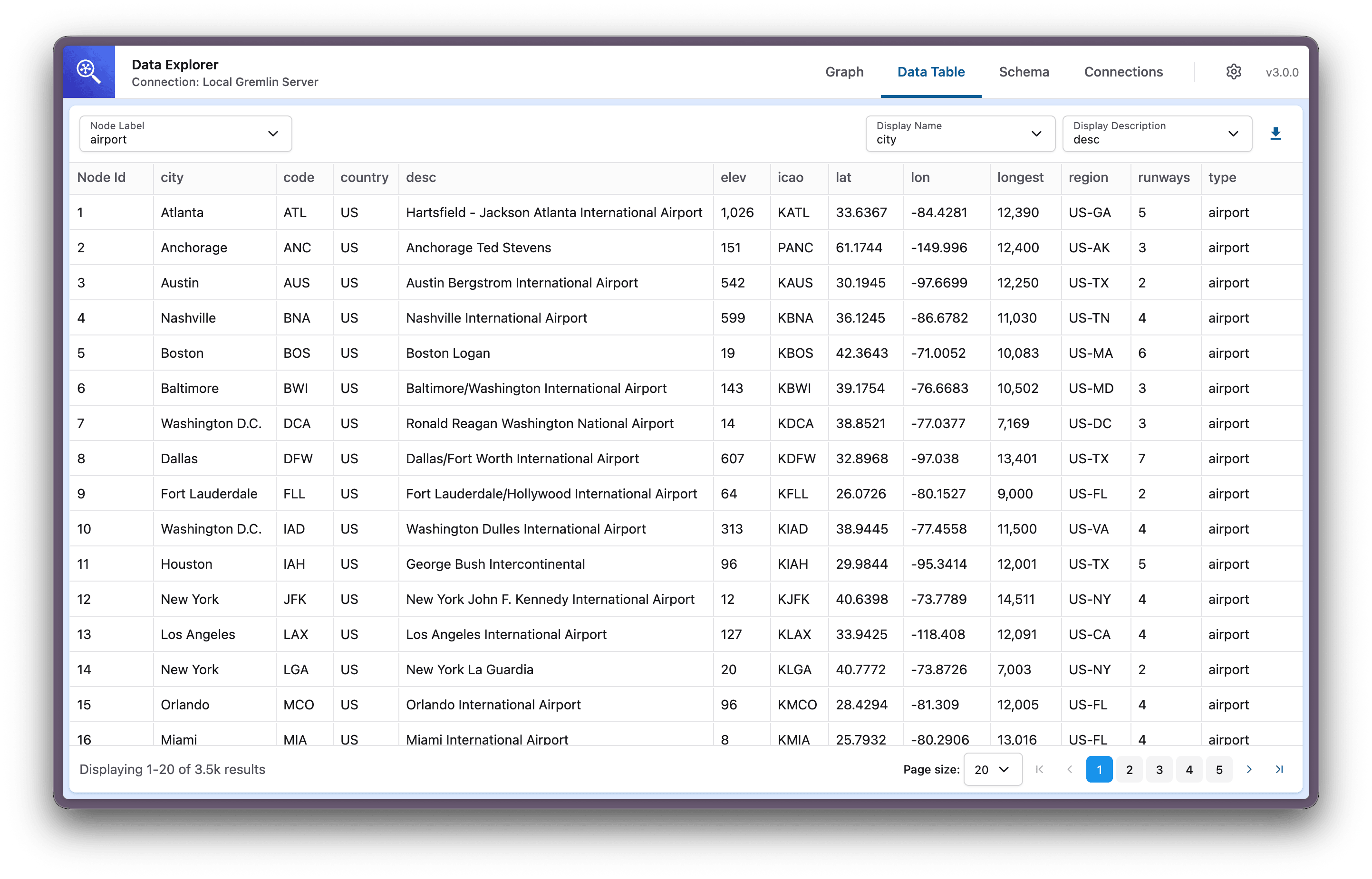
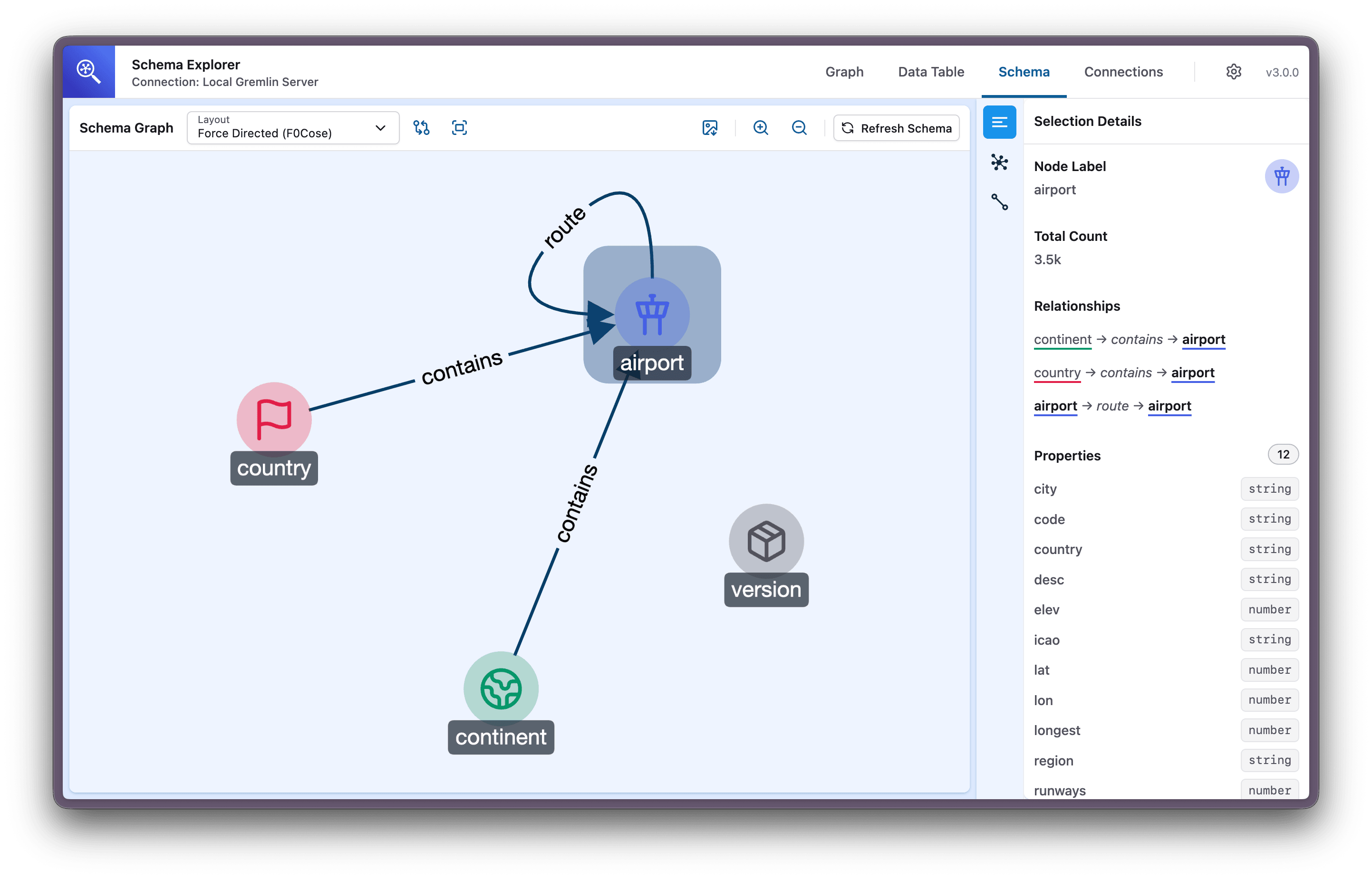
Graph Explorer showing an interactive visualization of airport routes with search, table view, and node details Data Explorer showing a tabular view of airport nodes with properties like city, code, and coordinates Schema Explorer showing the relationships between airport, country, continent, and version node types
About
Graph Explorer is a React-based web application that makes it easy to visualize and explore graph data, no query language knowledge required. Search for nodes, expand connections, and discover relationships across your graph database through an intuitive visual interface. Connect to graph databases that support Apache TinkerPop Gremlin or W3C RDF/SPARQL over HTTP, or openCypher via Amazon Neptune. Graph Explorer provides three integrated views for working with your graph database, all in one app. Graph Explorer is the open-source project aws/graph-explorer (https://github.com/aws/graph-explorer) by aws, released under Apache-2.0. Ion packages it unmodified from commit 5bf7f4fb323c, adding only a manifest, an icon and a storage compatibility script.
Source
Written by aws, published to Oikou by Ben Grande.
- ★ 483 stars on GitHub
- Licence: Apache-2.0
- Upstream version v3.2.2
- Built from commit 5bf7f4fb323c
Age rating
Not rated. Nobody has said who this app is suitable for, so Personal Clouds and the Oikou app treat it as 18+.
What version 3.2.2 may do
Internet
It asks to reach nothing on the internet.
Personal Cloud tools
- Keep a database of its own on your Personal Cloud ion.db
Notifications
It does not send push notifications.
Storage
Up to 16 MB on your Personal Cloud.
Add to Personal Cloud
Sign in to add this web app to a Personal Cloud of yours. It runs there, on your own computer, and you open it from there; nothing is installed on your phone.