
or: python3 -m pip install --user -U tokdash
by JingbiaoMei · io.github.jingbiaomei.tokdash
Not TrustedWeb appUnrated★ 84 stars
Agent Dashboard: Visualization and analytics for Sessions and Quota Usage.
Agent Dashboard: Visualization and analytics for Sessions and Quota Usage. Track, analyze, and optimize token usage across providers with heatmaps, cost tracking, token counting and quota resets..
Screenshots
GitHub Copilot CLI DeepSeek Harness MiniMax Code Tokdash overview dashboard - click for live demo Tokdash sessions view - click for live demo Tokdash monthly usage heatmap - click for live demo


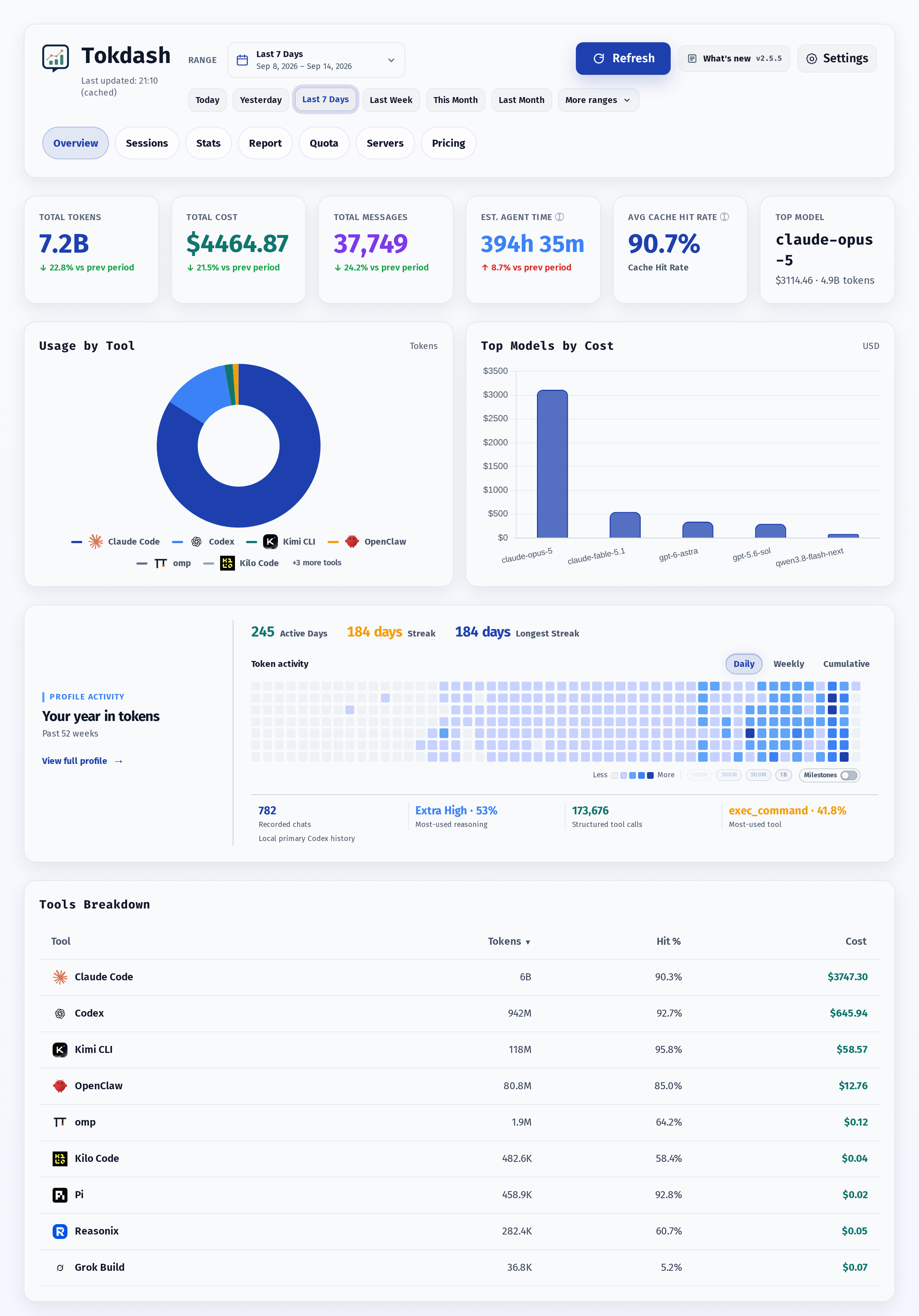
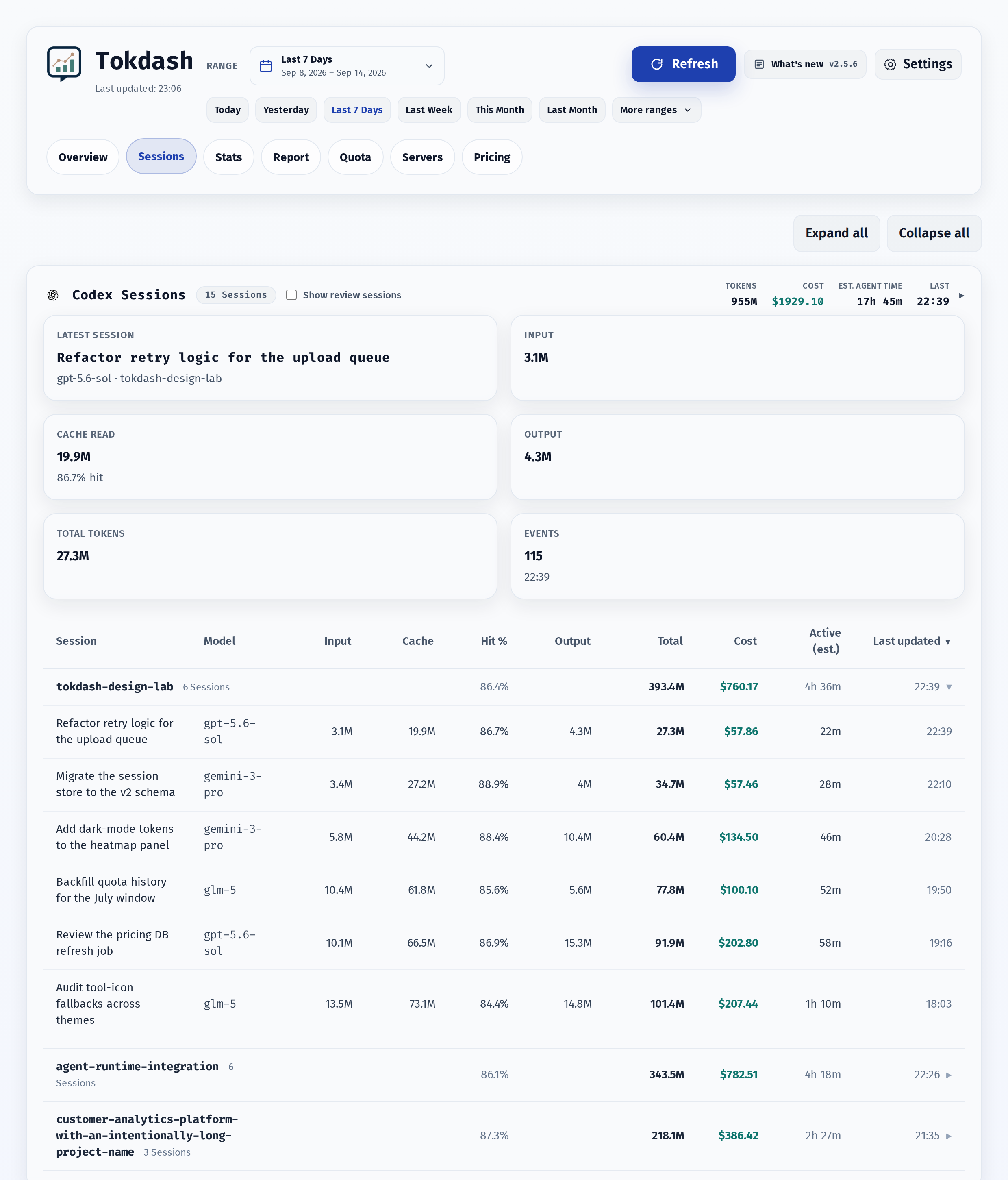
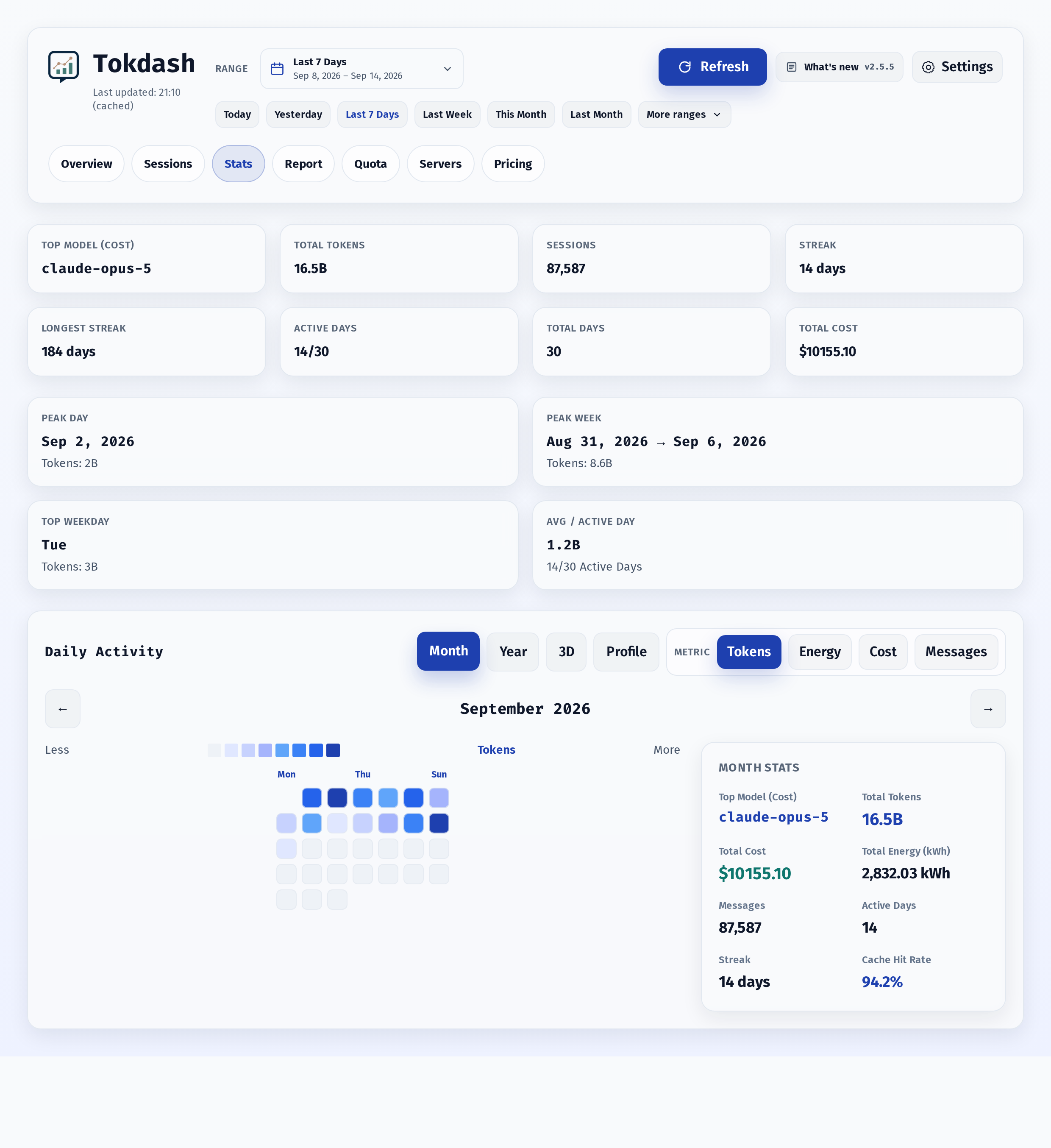
About
- Exact token counts: Input/Output/Cache token breakdowns - Statusline integration [new]: drop a live token-usage indicator into Claude Code's statusline (or any agent that can hit a local HTTP endpoint) — see Statusline integration - Contribution calendar: 2D heatmap + 3D isometric view with Tokens/Cost/Messages metrics - Session explorer: per-session drill-down - Report tab [new]: a week / month / year-to-date report of your own agent activity, with a shareable card for each tier of detail. Every export writes a light and a dark PNG - Quota tab [new]: subscription window bars with reset countdowns for Codex, Claude Code, and Antigravity. Codex windows work out of the box from local logs; Codex reset credits, metered features, and all Claude/Antigravity quota need opt-in live polling - Companion Status Bar App [new]: view spend and subscription quota from the macOS menu bar or Windows notification area — on the Microsoft Store for Windows — screenshots and downloads - Multi-server views: add WSL, macOS, and other Tokdash servers in Settings; combine usage across any selection while keeping quota grouped by machine. See remote access. - Themes and app polish: 17 style themes, light/dark mode, and PWA install support, UI in six languages (English / 中文 / 日本語 / 한국어 / Español / Português) See Supported clients for local data paths, overrides, and source-specific accounting notes. The Tokdash Companion Status Bar App is an optional native menu-bar app for macOS and notification-area app for Windows. It provides a compact, read-only view of the Tokdash service without keeping the full dashboard open. or: python3 -m pip install --user -U tokdash is the open-source project JingbiaoMei/Tokdash (https://github.com/JingbiaoMei/Tokdash) by JingbiaoMei, released under MIT. Ion packages it unmodified from commit 020fea07dbef, adding only a manifest, an icon and a start script.
Source
Written by JingbiaoMei, published to Oikou by Ben Grande.
- ★ 84 stars on GitHub
- Licence: MIT
- Upstream version v2.6.7
- Built from commit 020fea07dbef
Age rating
Not rated. Nobody has said who this app is suitable for, so Personal Clouds and the Oikou app treat it as 18+.
What version 2.6.7 may do
Internet
It asks to reach these hosts, and no others:
- cdn.jsdelivr.net
- cdn.tailwindcss.com
- fonts.googleapis.com
- fonts.gstatic.com
Folders on your Personal Cloud’s computer
- Can read a folder on your Personal Cloud’s computer that you choose: Your Claude Code session logs (~/.claude/projects) (claude-logs)
- Can read a folder on your Personal Cloud’s computer that you choose: Your Codex CLI session logs (~/.codex/sessions) (codex-sessions)
- Can read a folder on your Personal Cloud’s computer that you choose: Your Gemini CLI session logs (~/.gemini/tmp) (gemini-logs)
- Can read a folder on your Personal Cloud’s computer that you choose: Your OpenCode session database (~/.local/share/opencode) (opencode-data)
- Can read a folder on your Personal Cloud’s computer that you choose: Your Pi agent session logs (~/.pi/agent/sessions) (pi-sessions)
- Can read a folder on your Personal Cloud’s computer that you choose: Your Kimi CLI session logs (~/.kimi) (kimi-logs)
- Can read a folder on your Personal Cloud’s computer that you choose: Your Qwen Code session logs (~/.qwen) (qwen-logs)
- Can read a folder on your Personal Cloud’s computer that you choose: Your Hermes agent session logs (~/.hermes) (hermes-logs)
- Can read a folder on your Personal Cloud’s computer that you choose: Your OpenClaw session logs (~/.openclaw) (openclaw-logs)
- Can read a folder on your Personal Cloud’s computer that you choose: Your Grok Build session logs (~/.grok) (grok-logs)
You choose each folder on your Personal Cloud, and whether it may only read it (the default) or also change it. It can send what it reads to the internet hosts above.
Personal Cloud tools
None. It uses nothing from your Personal Cloud beyond its own storage.
Notifications
It does not send push notifications.
Storage
Up to 512 MB on your Personal Cloud.
Add to Personal Cloud
Sign in to add this web app to a Personal Cloud of yours. It runs there, on your own computer, and you open it from there; nothing is installed on your phone.
Versions
2.6.7 Latest Shown above
Published · a ready-built bundle
Imported from JingbiaoMei/Tokdash at 020fea07dbef (v2.6.7).